- Página de inicio /
- Mobile Phone Accessories /
- Accesorios /
- Stylus Pens /
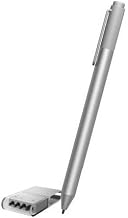
- Microsoft Surface Pen for Surface Pro 4 (Silver)
0 ratings


Artículo nº.:
4983812
Microsoft Surface Pen for Surface Pro 4 (Silver)
Artículo nº.:
4983812
€ 64
Detalles del precio
Excluding Shipping & Custom charges ( Shipping and custom charges will be calculated on checkout )
*All items will import from EE. UU.
0 ratings
Escribe una reseña
En stock
 Importado de la tienda USA
Haz tu pedido ahora y recíbelo el Sunday, Agosto 09
Transacción segura
Ubuy trabaja arduamente para proteger tu seguridad y privacidad. Nuestro avanzado sistema de seguridad de pagos garantiza la confidencialidad al cifrar tu información durante la transmisión mediante los protocolos AES (Estándares de Cifrado Avanzado) y SSL (Capa de Conexión Segura). Tus datos de pago están 100% seguros, ya que no compartimos tus detalles de pago con vendedores externos.
Nuestros mejores socios logísticos


Compra ahora, paga después

Envío
rápido

Devolución
gratuita*

Embalaje seguro

Productos 100% originales

Cumple con PCI DSS

Certificado ISO 27001


Note: Step Down Voltage Transformer required for using electronics products of EE. UU. store (110-120). Recommended power converters Comprar ahora.


Lo que más destaca
Precision Input
The Surface Pen offers pinpoint accuracy for drawing and note-taking, enhancing productivity and creativity with minimal lag, making it ideal for artists and professionals alike.
Tilt Support
With tilt support, users can create shading and intricate details, allowing for a natural drawing experience that mimics traditional tools, perfect for illustrators seeking versatility.
Larga duración de la batería
Equipped with a long-lasting battery, the Surface Pen ensures uninterrupted usage, providing convenience for users requiring dependable performance throughout the day without frequent recharging.
Detalles del producto
| Número de baterías | 2 AAA batteries required. |
| Dispositivos compatibles | Tablet |
| Descripción de la batería | Alcalino |
| Versión mínima requerida del sistema operativo | Windows 10 |
| Compatible Tablet Computer Models | Microsoft Surface Pro 3, Microsoft Surface Pro 4 |
| Peso del artículo | 20 Grams |
| Dimensiones del artículo | 5.67 x 0.37 x 0.4 inches (14.4 x 0.9 x 1 cm) |
| Color | Plata |
| Material de cierre | Plata |
| Marca | Microsoft |
| Número de modelo | FBA_3ZY-00010 |
| ¿Se incluyen baterías? | NO |
| ¿Se requieren baterías? | NO |
| UPC | 889842006124 |
| Número de Identificación del Comercio Global | 00889842006124 |
| Cantidad de unidades | 1.0 Contar |
| Fabricante | Microsoft |
| Número de pieza de Mfr | FBA_3ZY-00010 |
| Material | Plata |
| Dimensiones del artículo L x W x H | 5.67 x 0.37 x 0.4 inches (14.4 x 0.9 x 1 cm) |
| Baterías requeridas? | NO |
¿Quién debería comprarlo?

-
Digital Artists
Ideal for digital artists who require precision and pressure sensitivity for detailed illustrations and creative work.
-
Note Takers
Perfect for students and professionals who prefer handwritten notes on their Surface Pro, enhancing organization and retention.
-
Profesionales del diseño
Useful for designers needing to sketch, annotate, and make detailed adjustments on graphic designs directly on the tablet.

-
Usuarios Casual
Not suitable for casual users who primarily browse, as the pen's features might be unnecessary for basic tasks.
DESCRIPCIÓN DEL PRODUCTO
Microsoft Surface Pen for Surface Pro 4 (Silver)
About This Item
Introducing the Microsoft Surface Pen for Surface Pro 4 Silver – the ultimate tool for unleashing your creativity and enhancing your productivity. Designed specifically for the Surface Pro 4, this Bluetooth-enabled pen elevates your digital writing and drawing experience to a whole new level. With its sleek silver finish, the Microsoft Surface Pen adds a touch of style to your Surface Pro 4. Whether you’re a student, an artist, or a business professional, this pen is the perfect companion for all your tasks and activities. Featuring precise pressure sensitivity, the Surface Pen allows you to draw, sketch, and take notes with exceptional accuracy and control.
Its eraser button also doubles as a right-click button, providing you with a seamless navigation experience. The Surface Pen is packed with features that truly make it stand out. It boasts an impressive battery life, lasting for hours on end, so you can use it throughout the day without worrying about running out of power. It is also compatible with the Surface Pro 4's screen size and storage options, allowing you to fully customize your device to suit your needs. Not only does the Microsoft Surface Pen enhance your creative endeavors, but it also improves your overall productivity.
Use it to navigate through your favorite apps, edit documents, and annotate presentations effortlessly. With the Surface Pen, you'll find yourself working faster and more efficiently than ever before. Don't miss out on the opportunity to elevate your Surface Pro 4 experience. Get the Microsoft Surface Pen for Surface Pro 4 Silver today and take your productivity to new heights.
¿Tienes alguna consulta? Chatea con nosotros
Preguntas y respuestas de los clientes
-
Pregunta:
What are the main features of the Microsoft Surface Pen for Surface Pro 4?
Respuesta: The Microsoft Surface Pen for Surface Pro 4 features 4,096 levels of pressure sensitivity, allowing for precise drawings and notes. Its tilt support lets users create shadows and shading effects, enhancing the artistic experience. The pen includes a customizable button that can be programmed for shortcuts, making it adaptable to your workflow, whether for artistic endeavors or productivity tasks. -
Pregunta:
Is the Microsoft Surface Pen compatible with other Surface devices?
Respuesta: Yes, the Microsoft Surface Pen is compatible with a variety of Surface devices, including the Surface Pro series and Surface Book models. However, functionalities may vary depending on the device. This compatibility allows users to switch between devices seamlessly while maintaining a consistent writing experience, whether for note-taking, drawing, or editing documents. -
Pregunta:
How does the Microsoft Surface Pen connect to the Surface Pro 4?
Respuesta: The Microsoft Surface Pen connects to the Surface Pro 4 via Bluetooth, enabling it to interact wirelessly and provide pressure sensitivity. Setting it up is simple; users just need to pair it through the device's Bluetooth settings. This wireless connection ensures a clutter-free writing experience, making it perfect for both artists and professionals who require mobility. -
Pregunta:
Can I replace the tip of the Microsoft Surface Pen?
Respuesta: Yes, the tip of the Microsoft Surface Pen can be replaced. Replacement tips come in various hardness options, allowing users to customize their writing experience according to preference. By changing the tips, you can achieve different textures and resistance, which is particularly beneficial for artists who require specific feedback based on their drawing techniques. -
Pregunta:
What is the battery life of the Microsoft Surface Pen?
Respuesta: The Microsoft Surface Pen is designed with long-lasting battery life, typically lasting around 12 months with regular use before needing a battery replacement. It uses a standard AAAA battery, which is easily replaceable. This extended battery life means you can focus on your work without frequent interruptions, making it ideal for both students and professionals alike. -
Pregunta:
Does the Microsoft Surface Pen require any software installation?
Respuesta: The Microsoft Surface Pen does not require any additional software installation to function with the Surface Pro 4. It works natively with Windows applications, allowing for instant use. This ease of use facilitates a smooth experience for both creative tasks, like sketching, and productivity tasks, such as note-taking and editing documents, without any setup hassles. -
Pregunta:
What types of tasks can I accomplish with the Microsoft Surface Pen?
Respuesta: The Microsoft Surface Pen is versatile, making it ideal for various tasks including digital art, note-taking, document annotation, and more. Artists can utilize its pressure sensitivity for detailed illustrations, while students and professionals can employ it for jotting down ideas or editing PDFs. This versatility enhances productivity regardless of your specific needs, allowing for creativity and organization. -
Pregunta:
How does the Surface Pen enhance the overall Surface Pro 4 experience?
Respuesta: The Surface Pen complements the Surface Pro 4 by bringing a natural writing and drawing feel to the device. It enhances functionality through features like palm rejection when writing, allowing users to rest their hands comfortably without interfering with the screen. This results in a more intuitive and engaging experience, making it easier for users to interact with their digital content. -
Pregunta:
What color options are available for the Microsoft Surface Pen?
Respuesta: The Microsoft Surface Pen for Surface Pro 4 is available in various color options, including Silver, Black, and Cobalt Blue. This range allows users to choose a pen that matches their style or the color of their Surface devices. The option to personalize the pen's appearance helps add a touch of personality to your tech setup, making it a reflection of your unique taste. -
Pregunta:
Where can I buy Microsoft Surface Pen for Surface Pro 4 (Silver) in Spain?
Respuesta: You can purchase the Microsoft Surface Pen for Surface Pro 4 (Silver) from Ubuy in Spain. Ubuy offers a wide selection of authentic electronic accessories, including the Surface Pen, ensuring you receive a quality product suitable for your Surface Pro 4. Shopping at Ubuy provides a convenient platform for your tech needs with detailed product information.
Microsoft Stylus Pens Editorial Review
The Microsoft Surface Pen for Surface Pro 4 has garnered a mixed reception from customers, showcasing both strong appreciation for its functionality and some frustrations related to reliability. Many users express their satisfaction with the pen's feel and responsiveness, noting that it significantly enhances their experience with the Surface Pro 4, especially for graphics and detailed work. Customers appreciate the long battery life, with some claiming to get months of use before needing a replacement. However, this is countered by reports of faulty units that either do not work at all or have a significantly reduced battery lifespan. Some Consumers have experienced issues with returning defective pens and have even had to purchase multiple replacements due to loss or failure. Overall, while the pen is well-liked for its performance and user-friendly design, the inConsistency in quality and battery life has led some customers to seek alternatives. **
Reseñas y valoraciones de clientes
1 valoraciones de los clientes
-
5 estrella
0%
-
4 estrella
100%
-
3 estrella
0%
-
2 estrella
0%
-
1 estrella
0%
Escribir una reseña de este producto
Comparte tu opinión con otros clientes
Ventajas
- Excellent responsiveness and feel in hand
- Highly effective for graphic work
- Generally reliable performance when functioning
- Long battery life reported by many users
- Comes with an extra battery
Desventajas
- Some units may arrive faulty or fail to operate correctly
CONFIANZA EN LA PLATAFORMA Y SEGURIDAD DEL COMPRADOR

MT
Mohd
Verified buyer
“The product received very good packaging & safe…Thank You”
16 June 2026 · via Trustpilot
SJ
Shawati
Verified buyer
“Accurate delivery timing given”
16 June 2026 · via Trustpilot
YB
Youcef
Verified buyer
“Not madly expensive like I thought, and much quicker than promised.”
15 June 2026 · via Trustpilot
LM
Leila
Verified buyer
“Never dealt with Ubuy before, but everything worked out great. Seamless cross border purchasing and shipping. Thanks!”
6/7/2026 · via Trustpilot
KA
Kwame
Verified buyer
“The process was smooth, with clear communication and timelines. This was my 1st purchase and I am really impressed. I will definitely be coming back.”
12 June 2026 · via Trustpilot
Pago seguro
Entrega mundial
Devoluciones fáciles
Productos genuinos
Historial de precios del producto
Información importante
- Limitaciones: para los productos enviados internacionalmente, hay que tener en cuenta que cualquier garantía del fabricante puede no ser válida; las opciones de servicio del fabricante pueden no estar disponibles; los manuales del producto, las instrucciones y las advertencias de seguridad pueden no estar en el idioma del país de destino; los productos (y los materiales que los acompañan) pueden no estar diseñados de acuerdo con las normas, especificaciones y requisitos de etiquetado del país de destino; y los productos pueden no ajustarse al voltaje y otras normas eléctricas del país de destino (lo que requiere el uso de un adaptador o convertidor, si procede). El destinatario es responsable de asegurarse de que el producto puede ser importado legalmente al país de destino. Al realizar un pedido a Ubuy o a sus filiales, el destinatario es el importador registrado y debe cumplir con todas las leyes y reglamentos del país de destino.
- No todos los productos que aparecen en Ubuy están a la venta, ya que Ubuy es un motor de búsqueda global. Los productos están sujetos a las normas de exportación/comercio.
€ 64
Haz tu pedido ahora y recíbelo el Sunday, Agosto 09
Este artículo no está restringido en mi país. (Haga clic en el enlace anterior si este artículo no está restringido en su país, para que nuestro equipo lo revise y permita).
CANT.:
Transacción segura
Cumplimos con PCI DSS y contamos con la certificación ISO 27001:2022, con pagos cifrados y protección total del comprador en cada pedido.
Nuestros mejores socios logísticos
Entrega transfronteriza más rápida
Garantía Ubuy
Compra sin preocupaciones: productos 100 % originales, pagos seguros conforme a PCI DSS, protección de datos con certificación ISO 27001, la entrega transfronteriza más rápida, devoluciones gratuitas* y embalaje seguro en cada pedido.